Excel AVERAGEIF Function
AVERAGEIF Function
The AVERAGEIF function is a premade function in Excel, which calculates the average of a range based on a true or false condition.
It is typed =AVERAGEIF and has three parts:
=AVERAGEIF(range, criteria, [average_range])
The condition is referred to as criteria, which can check things like:
- If a number is greater than another number
> - If a number is smaller than another number
< - If a number or text is equal to something
=
The [average_range] is the range where the function calculates the average.
Note: The [average_range] is optional.
If not specified, the function calculates the average of the same range as condition.
Note: The different parts of the function are separated by a symbol, like comma , or semicolon ;
The symbol depends on your Language Settings.
Example AVERAGEIF function
Find the average speed of Grass type Pokemon:
The condition is that the type is "Grass".
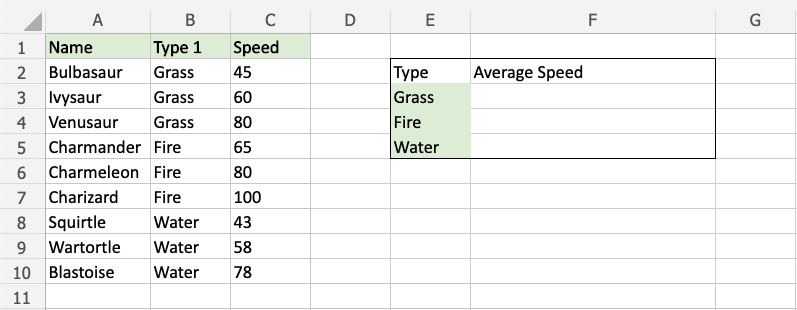
Example AVERAGEIF function, step by step:
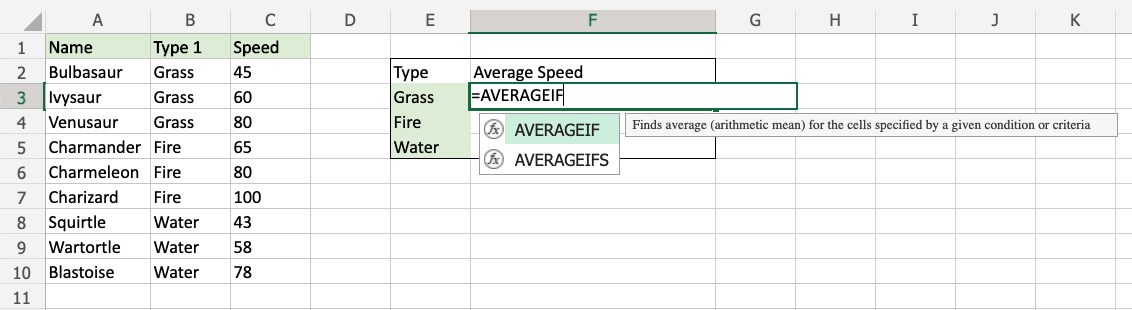
- Select the cell
F3 - Type
=AVERAGEIF - Double click the AVERAGEIF command
- Specify the range for the condition
B2:B10(the Type 1 values) - Type
, - Specify the criteria (the cell
E3, which has the value "Grass") - Type
, - Specify the range for the average
C2:C10(the Speed values) - Hit enter
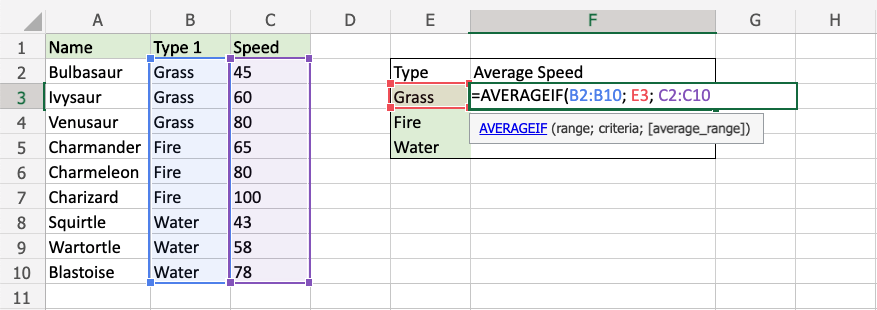
The function now calculates the average speed value of the Grass type Pokemon: Bulbasaur, Ivysaur and Venusaur.
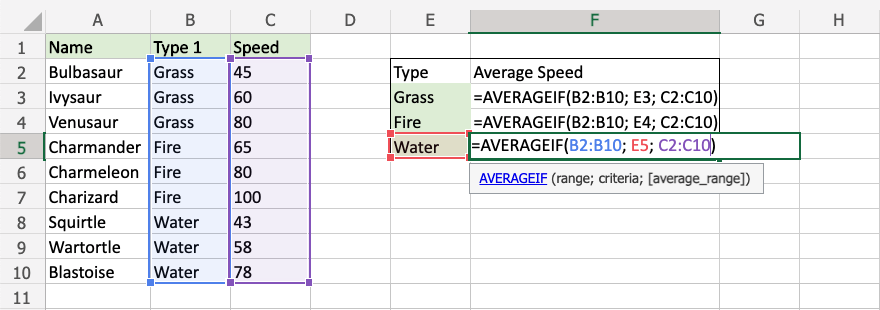
The function can be repeated for Fire and Water type Pokemon to compare them: